Apple Reminders Alternatives That Still Work With Siri
Looking for an Apple Reminders alternative? Nine apps compared by how they work with Siri and Reminders, plus how to get a planner without leaving Reminders.
The best Apple Reminders alternative depends on one question: do you want to leave Reminders, or keep it? If you want to keep Siri, shared lists and the reminders you already have, choose an app that works alongside Reminders: Plannedo syncs both ways with a Reminders list, GoodTask and Fantastical read your reminders directly, and Any.do syncs one list. If you’re leaving Apple’s apps for good, TickTick and Todoist are the strongest all-rounders.
I build Plannedo and wrote its Reminders sync, so I’ve spent more time than most reading how other apps connect to Reminders. Below: why people look for an alternative, the three ways an app can work with Reminders (the part most comparisons skip), nine apps side by side, and how to keep Siri while planning somewhere better. Prices and features were checked on October 11, 2026, against each developer’s documentation and the US App Store.
Why people look for an Apple Reminders alternative
Apple Reminders is better than its reputation. It has sections and a column view, tags and smart lists, subtasks, location-based reminders, shared lists with assignments, and since iOS 18 your scheduled reminders also show up in the Calendar app. For a grocery list or “call the dentist tomorrow”, it’s hard to beat, mostly because Siri puts things there without you opening anything.
People start looking elsewhere for a handful of reasons:
- Lists, not plans. Reminders is good at holding things and weak at arranging them. There’s no week or month view of your tasks to plan in, and no way to see a busy Thursday coming.
- Nothing beyond tasks. No habit tracker, no daily journal, no goals that tasks can belong to.
- Outside Apple, it gets thin. There’s no Reminders app for Windows or Android. You can use Reminders at iCloud.com in any browser, but there’s no app, widget or notifications there.
- Few connections. Most other tools can’t see your reminders at all.
Which of these bothers you decides what kind of alternative you need.
Three ways an app can work with Apple Reminders
This is the part most comparison pages leave out, and it matters more than any feature list. An app that “works with Reminders” can mean three very different things.
| How it connects | What happens to your reminders | Siri “remind me” | Apps |
|---|---|---|---|
| Reads Reminders directly | Nothing moves. The app is a different view of the same reminders. | Keeps working | GoodTask, Fantastical |
| Syncs both ways with a list | Your tasks also live in a Reminders list and stay in step with the app. | Keeps working | Plannedo, Any.do |
| Imports from Reminders | Reminders are copied into the app, and some import options delete the originals. | Becomes a one-way inbox | Things 3, TickTick, OmniFocus, Structured |
| No connection | Reminders and the app are separate. | Use the app’s own Siri support instead | Todoist, Microsoft To Do |
The difference shows up the first time you use Siri, a shared list or an Apple Watch. With the first two kinds, everything that already talks to Reminders keeps working. With an import, the app takes over: things you capture still go through Reminders, but they don’t come back. Some apps, like Todoist and TickTick, have their own Siri support on the iPhone, which is useful, though “Hey Siri, remind me…” is still the one command that works everywhere Siri does, from the Watch to CarPlay.
The best Apple Reminders alternatives in 2026
| App | Works with Reminders | Platforms | Price (US) |
|---|---|---|---|
| Plannedo | Two-way sync with a “Plannedo” list, plus Siri capture | Web, iPhone, Mac | Free plan; Pro $7.99/mo or about $79/yr |
| GoodTask | Reads and writes Reminders directly | iPhone, iPad, Mac, Watch | Free; unlock $19.99 once or $19.99/yr; Mac $39.99 |
| Fantastical | Shows and edits iCloud Reminders next to events | iPhone, iPad, Mac, Watch, Windows | Free plan; $6.99/mo or $56.99/yr |
| Any.do | Two-way sync with one “Apple Reminders” list | iPhone, Mac, Android, Windows, web | Free plan; paid from about $5/mo billed yearly |
| Things 3 | Import; one option deletes the originals | iPhone, iPad, Mac, Watch | $49.99 Mac, $9.99 iPhone, $19.99 iPad, one-time |
| TickTick | Auto-import that deletes the originals | All platforms and web | Free plan; $49.99/yr |
| Todoist | No Reminders link; own Siri support on iPhone | All platforms and web | Free plan; $5/mo billed yearly or $7/mo |
| OmniFocus 4 | Reminders Capture, which deletes the originals | iPhone, iPad, Mac, Watch, web | $74.99 one-time, or $99.99/yr |
| Structured | Imports Reminders lists on Pro; edits flow back | iPhone, iPad, Mac, Android, web | Free plan; Pro prices vary |
Plannedo: a planner on top of Reminders
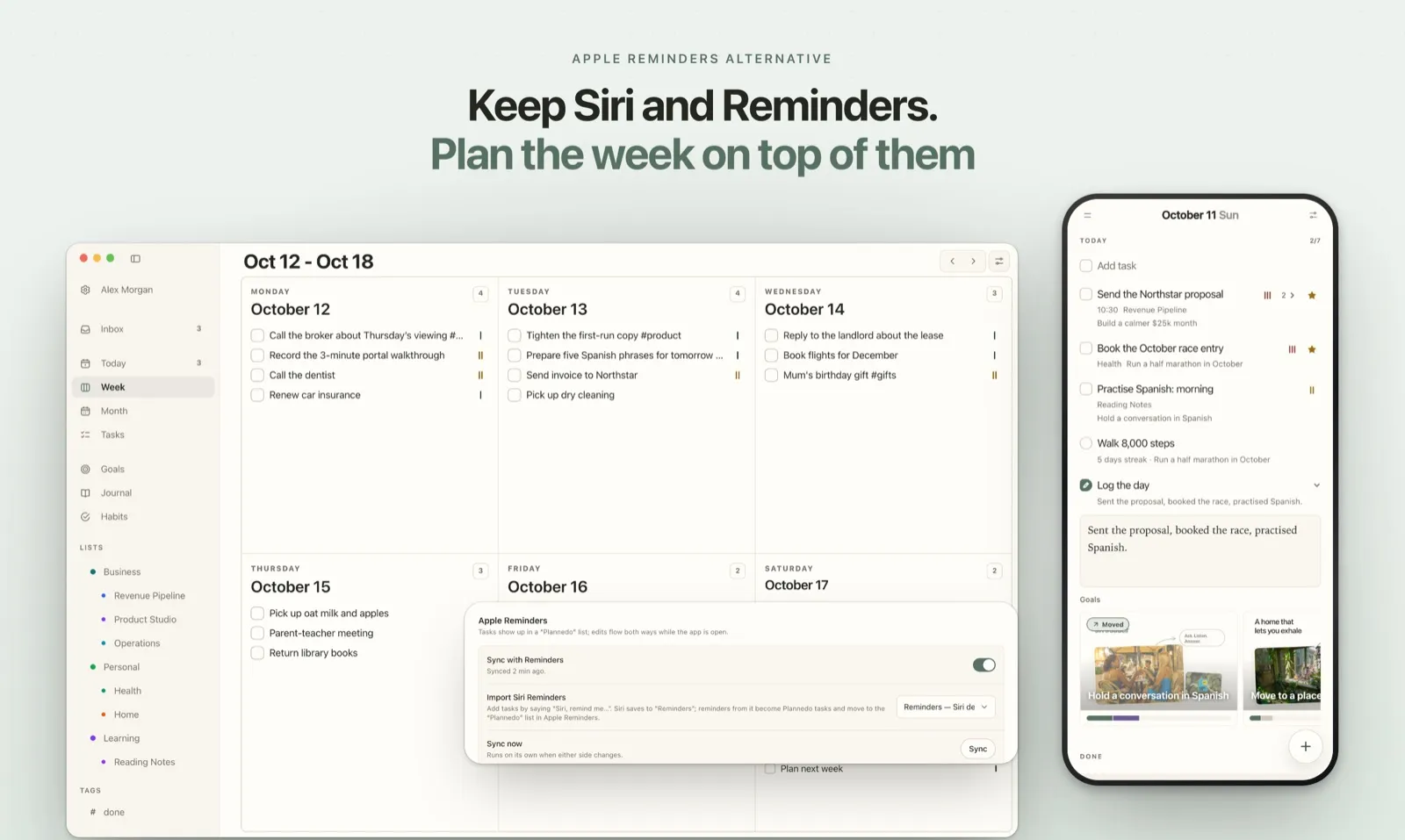
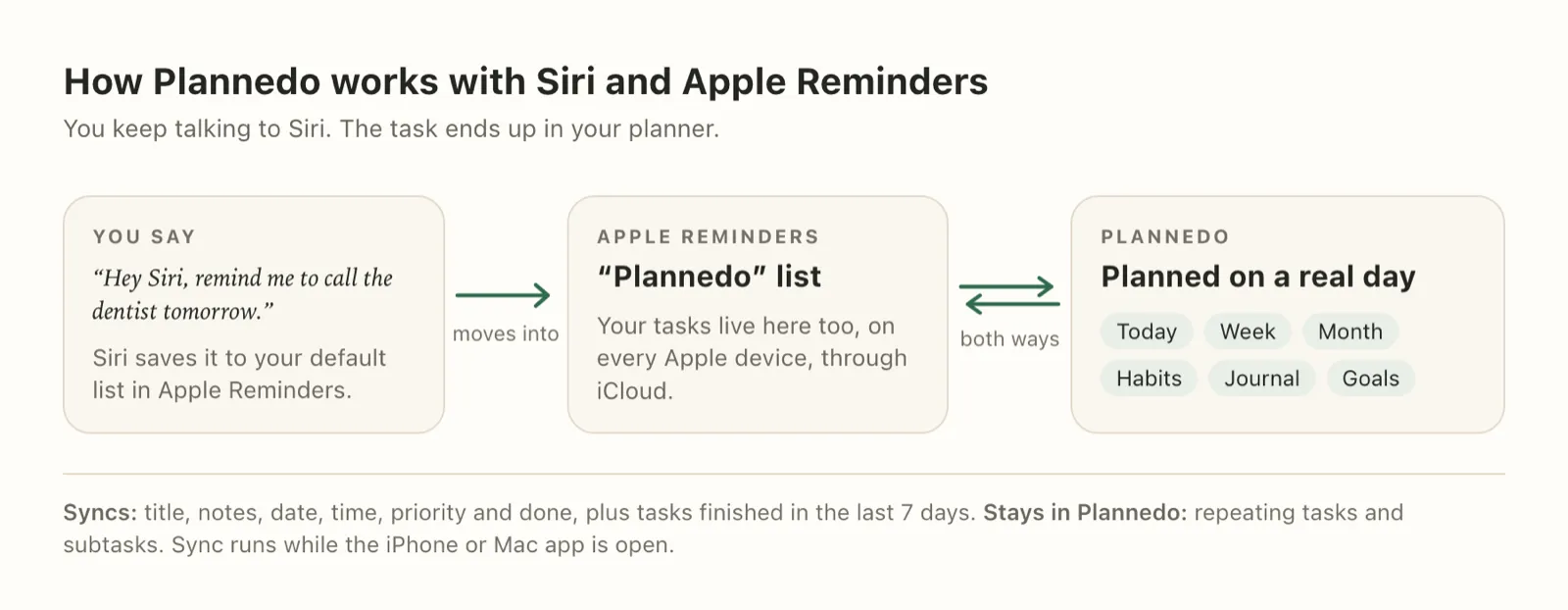
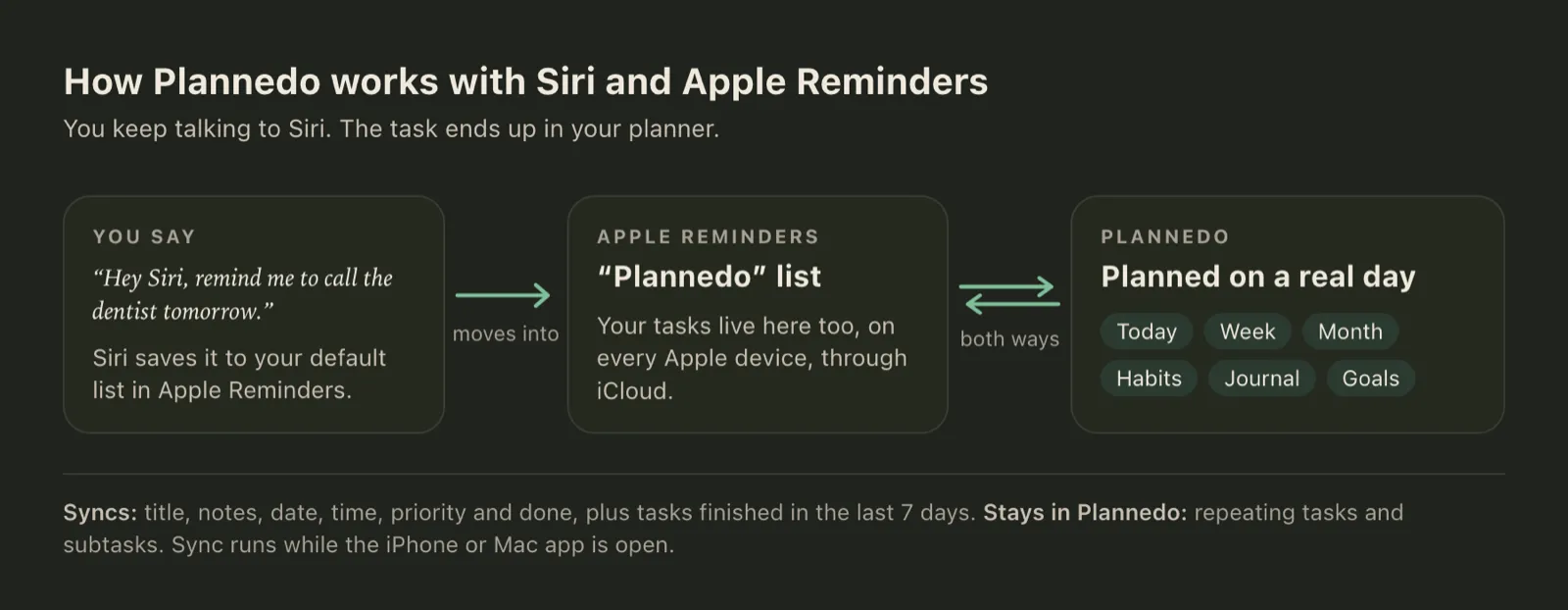
Plannedo is a daily planner with Today, Week and Month views, habits with streaks, a short daily journal and goal boards. The iPhone and Mac apps sync your tasks both ways with a list called “Plannedo” in Apple Reminders, so your tasks are in Reminders too, and anything you add to that list comes back as a task. Turn on Import Siri Reminders, and what you dictate to Siri lands in Plannedo, on its day if it has one. It also runs in any browser, which covers Windows and Android. What it doesn’t do: repeating tasks and subtasks stay in Plannedo, and sync runs while the app is open. More in the how-to section below.
GoodTask: Reminders with more views
GoodTask is built on top of Apple Reminders and Calendar, so it isn’t really an alternative so much as a more powerful front end: list and calendar views, quick actions and smart lists over the same data. Nothing to migrate and nothing to lose. It’s Apple-only, and the Mac app is sold separately ($39.99) from the iPhone version.
Fantastical: your reminders next to your calendar
Fantastical is a calendar app with full support for iCloud Reminders, so you see tasks and events in one timeline and can edit either. If what you miss in Reminders is “when am I going to do this”, it’s a good fit. It’s a calendar first, with no habits or journal, and there’s now a Windows version.
Any.do: one synced list
Any.do creates a dedicated “Apple Reminders” list that syncs back and forth with Reminders, so Siri capture keeps working. Tasks you move into other Any.do lists stop syncing, though. It runs on every platform, and its prices differ between its website and the App Store, so check before you pay.
Things 3: beautiful, Apple-only, and it takes over
Things is the most polished task manager on Apple devices. It can import from Reminders in two ways: a full import that copies your lists and leaves Reminders alone, and a “Reminders Inbox” that moves new reminders into Things and deletes them from Reminders. There’s no sync back. It’s a one-time purchase per device and runs only on Apple platforms.
TickTick: everything, everywhere
TickTick runs on every platform and adds calendar views and a habit tracker. Its auto-import from Reminders deletes each reminder once it’s copied, so Reminders becomes a capture inbox rather than a shared list. There’s a free plan; Premium is $49.99 a year.
Todoist: no Reminders link at all
Todoist doesn’t connect to Apple Reminders in any way I could find, but it has its own Siri support on the iPhone. It’s the strongest choice if your devices aren’t all Apple. The free plan has five projects; Pro is $5 a month billed yearly.
OmniFocus 4: for full GTD systems
OmniFocus has a “Reminders Capture” feature that pulls reminders in and deletes them from Reminders, and the Omni Group itself describes it as no longer the preferred method. Choose OmniFocus for its depth, not for its Reminders support.
Structured: a timeline for your day
Structured lays out your day as a timeline. On Pro it can import Reminders lists, and edits you make to imported tasks flow back, but new tasks created in Structured don’t go to Reminders. Its US prices aren’t published on its site, and the App Store lists several versions.
Apple Reminders vs Things 3, Todoist and TickTick
If you’re weighing Reminders against one of the big three directly, these are the differences that usually decide it:
| Apple Reminders | Things 3 | Todoist | TickTick | |
|---|---|---|---|---|
| Siri “remind me” | Built in | Via import | Own Siri support | Own Siri support |
| Week or month planning view | No | No | Yes, in the calendar layout | Yes |
| Habit tracker | No | No | No | Yes |
| Windows and Android | Browser only | No | Yes | Yes |
| Price | Free | One-time, per device | Free plan, or $60/yr | Free plan, or $49.99/yr |
How to keep Siri and Reminders and plan in Plannedo
If you like Reminders for capture and shared lists but want a real planner, you don’t have to choose. This is how Plannedo is set up to work with it.
- Install the iPhone or Mac app and sign in.
- Open Settings → Apple Reminders and turn on Sync with Reminders. Allow access when your device asks. Plannedo creates a list called “Plannedo” in Reminders, or uses the one that’s already there.
- Set Import Siri Reminders to the list Siri saves to (it’s marked “Siri default · Recommended”). New reminders from it become Plannedo tasks and move into the “Plannedo” list.
- Say “Hey Siri, remind me to call the dentist tomorrow”. Next time Plannedo is open, the task is on tomorrow’s list.
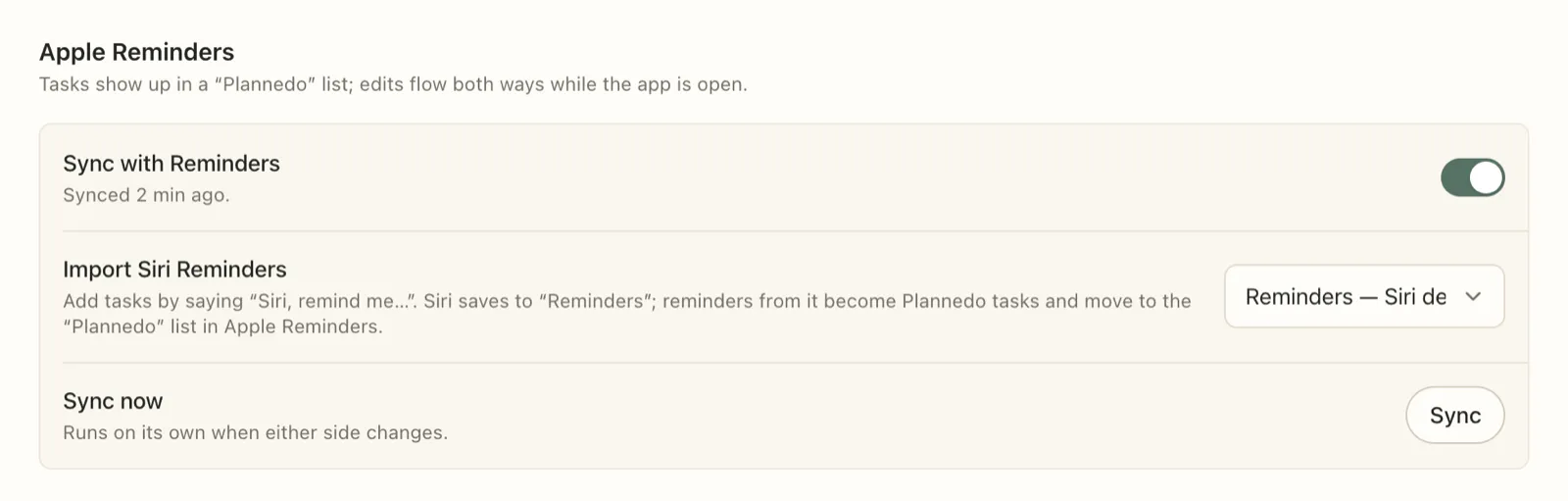
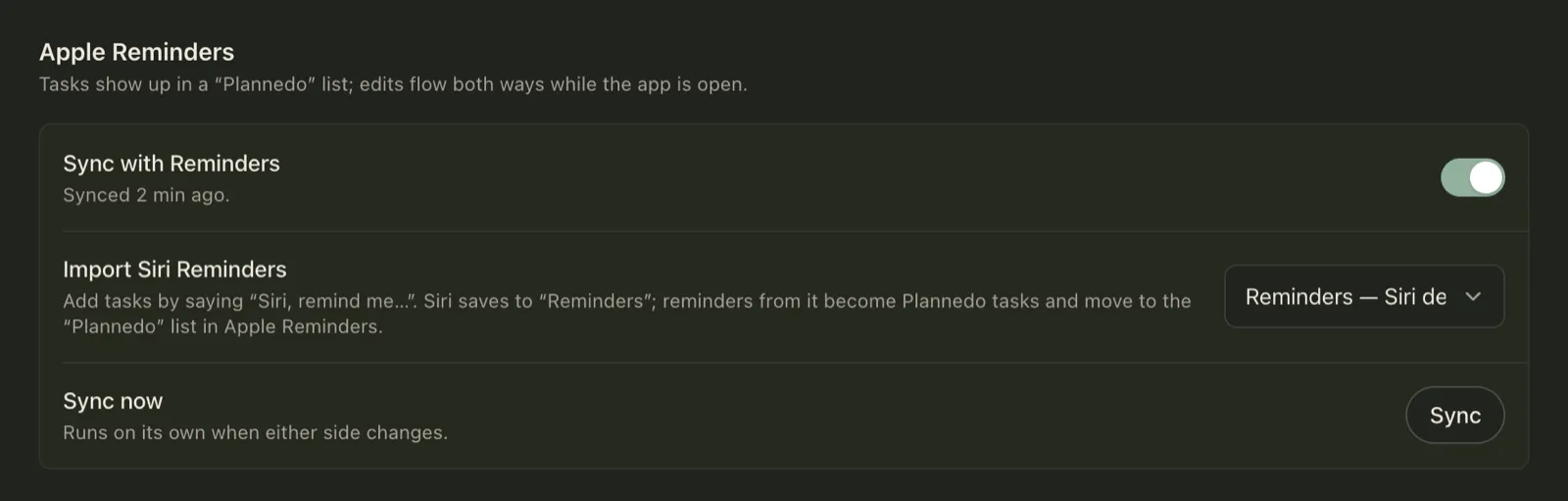
What syncs: the title, notes, date, time, priority and whether a task is done, for all open tasks and those finished in the last seven days. What doesn’t: repeating tasks and subtasks stay in Plannedo. The setting is per device, and sync runs while the app is open, so changes made in Reminders arrive the next time you open Plannedo. The full details are in Sync with Apple Reminders.
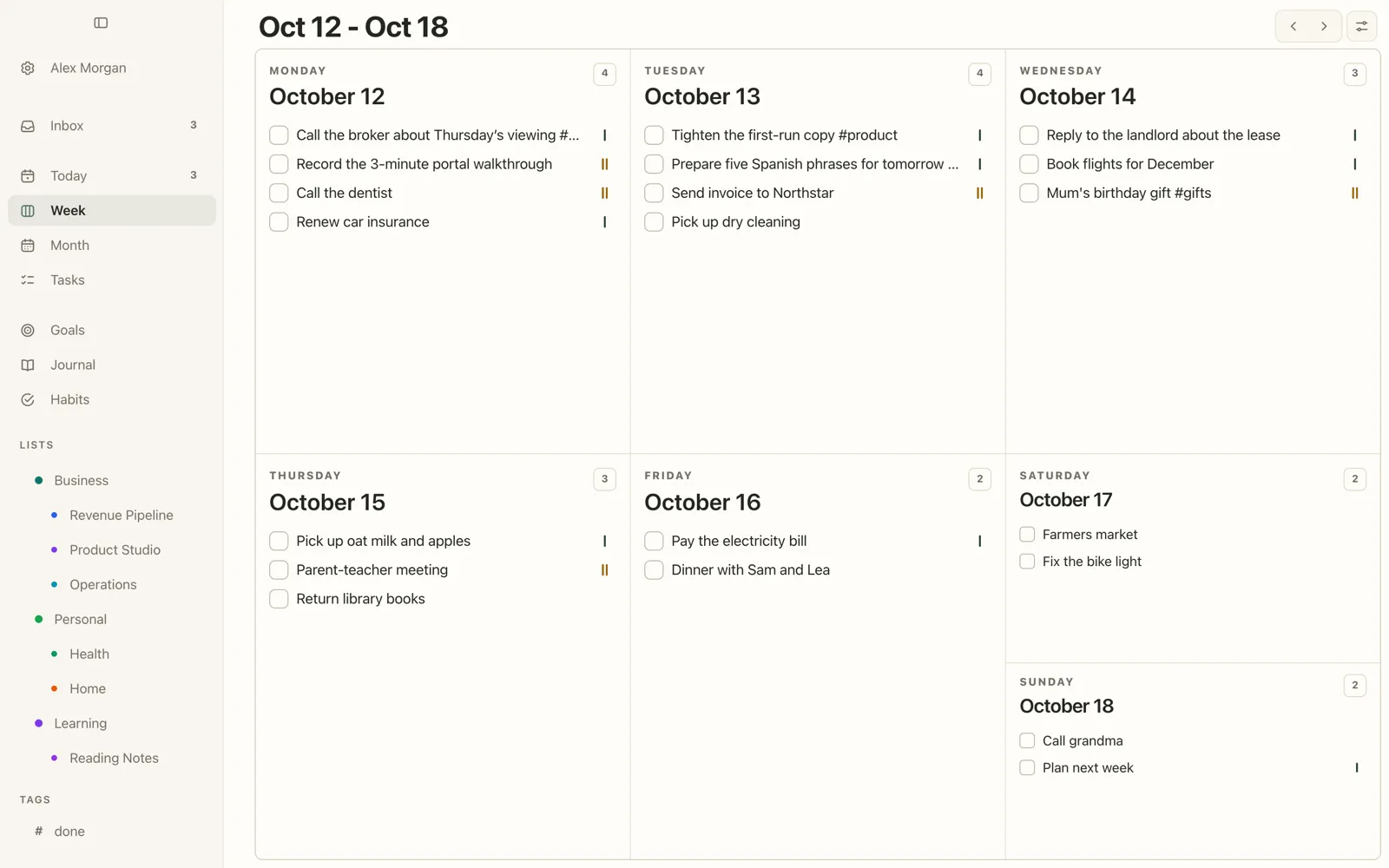
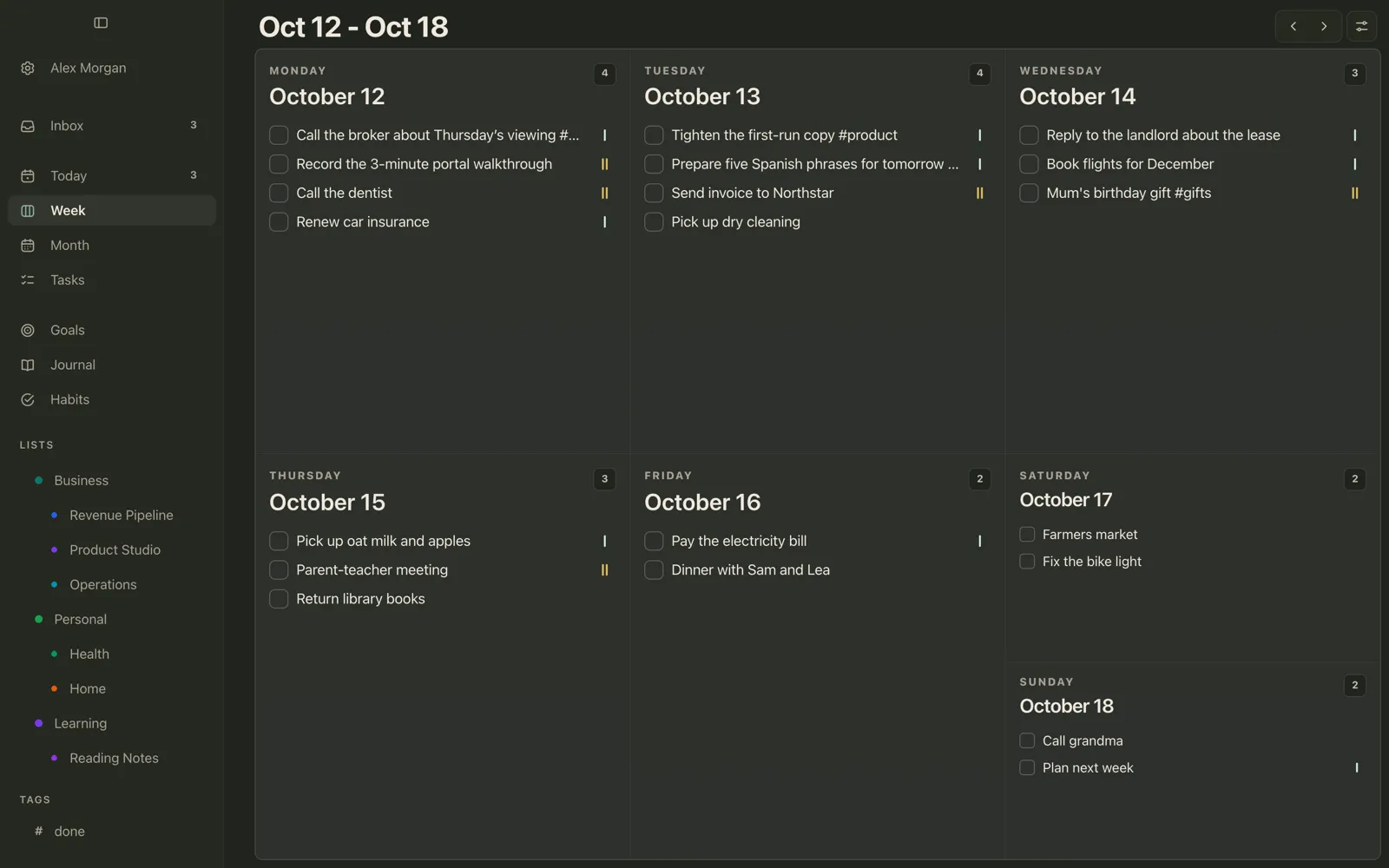
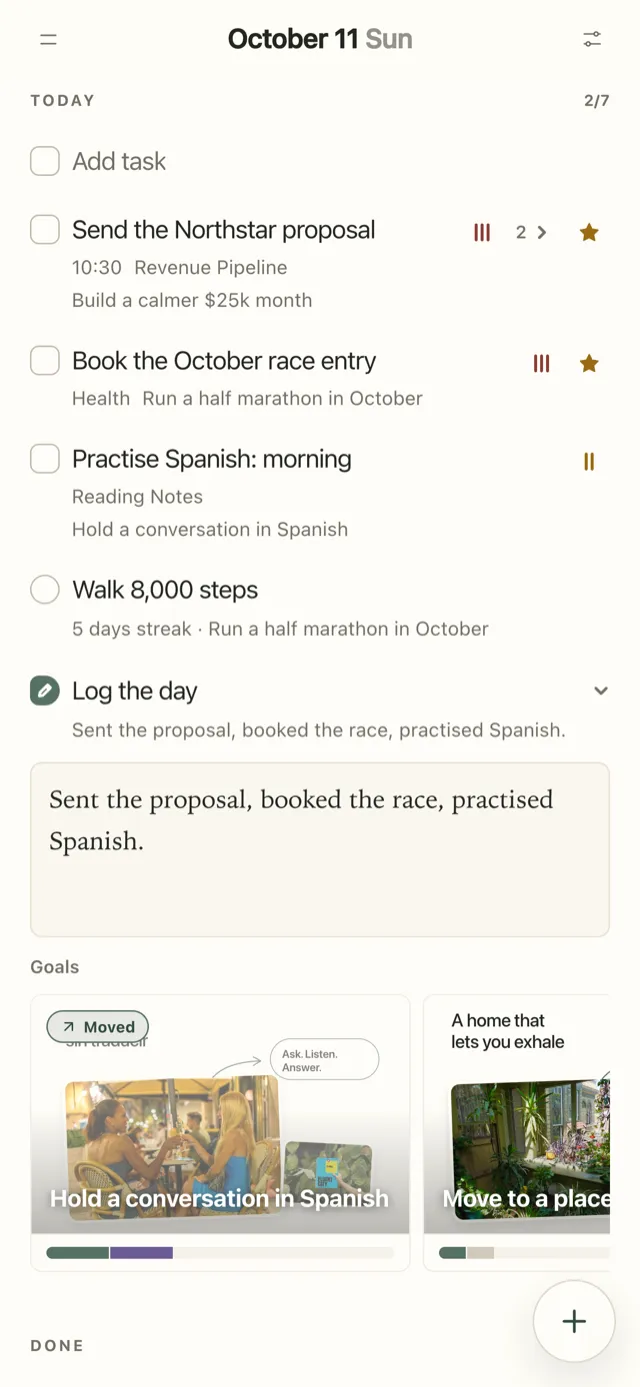
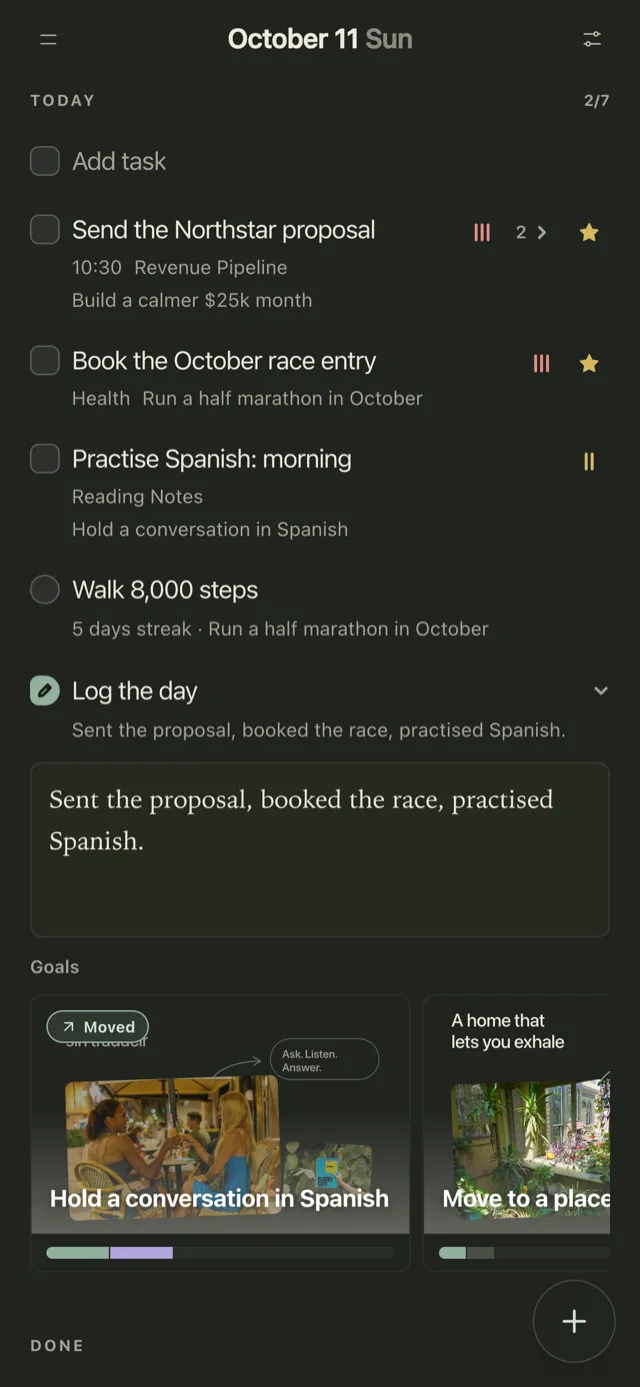
With the tasks in Plannedo, you get the views Reminders doesn’t have. Week shows every day as a card you can drag tasks between, Month shows what’s coming, and Today puts the day’s tasks, habits and a line about how it went on one page.
The Free plan includes unlimited tasks, the Reminders sync, widgets, three habits and one goal. Pro adds unlimited goals, lists and habits, plus task reminders. If you’re comparing planners for both devices more broadly, I covered that in Best Planner Apps for Mac and iPhone, and apps that combine tasks, habits and a journal in A To-Do List, Habit Tracker and Journal in One App.
Is there an Apple Reminders alternative for Android or Windows?
Apple doesn’t make a Reminders app for Android or Windows. You can open Reminders at iCloud.com in any browser to add, complete and organise reminders, but there are no notifications or widgets there. If you need tasks on an Android phone or a Windows PC, TickTick, Todoist and Any.do have native apps on both. Plannedo runs in the browser on both, and if you also have an iPhone or Mac, the tasks you capture with Siri reach it through the Reminders sync.
FAQ
What is the best Apple Reminders alternative?
It depends on whether you want to keep Reminders. To keep Siri capture and shared lists, choose an app that works alongside it: Plannedo (two-way sync with a list), GoodTask or Fantastical (read Reminders directly) or Any.do (syncs one list). To leave Apple’s apps, TickTick and Todoist are the most complete.
Does Things 3 sync with Apple Reminders?
No, it imports. Things can copy your Reminders lists once and leave Reminders as it was, or use a “Reminders Inbox” that moves new reminders into Things and deletes them from Reminders. Changes in Things don’t go back to Reminders.
Does Todoist work with Siri?
Yes, on the iPhone Todoist has its own Siri support for adding tasks. It doesn’t connect to Apple Reminders, so “Hey Siri, remind me…” still goes to Reminders, not to Todoist.
Can I use Apple Reminders on Android or Windows?
Only in a browser. Reminders works at iCloud.com, where you can add, complete and organise reminders, but there’s no Android or Windows app, and no notifications or widgets in the browser.
Will I lose my reminders if I switch apps?
That depends on how the app connects. Apps that read Reminders directly (GoodTask, Fantastical) or sync with a list (Plannedo, Any.do) leave your reminders in place. Some import options, in Things, TickTick and OmniFocus, delete reminders from Reminders after copying them.
Can Siri add tasks to Plannedo?
Yes, through Apple Reminders. Turn on Sync with Reminders and Import Siri Reminders in the iPhone or Mac app, and anything you add with “Hey Siri, remind me…” becomes a Plannedo task the next time the app is open: on its day if it has a date, in the Inbox if it doesn’t.
Sources
- Apple: Add details to reminders on iPhone, Edit and organize a list, Reminders on iCloud.com, Use Reminders on your iPhone, iPad, or iPod touch.
- Cultured Code: Adding To-Dos via Apple Reminders.
- TickTick: Import from Apple Reminders.
- Todoist: Use Siri with Todoist.
- Any.do: Any.do + Siri & Apple Reminders.
- The Omni Group: Collecting with Siri in OmniFocus with Reminders Capture.
- Structured: How to Import To-Do Lists into Structured.
- Prices: each developer’s pricing page and the US App Store, checked October 11, 2026.