Best Digital Planners for 2027: iPad, Apps and Free PDFs
The best digital planners for 2027, both kinds: PDF planners you write on in Goodnotes or Notability, and planner apps that remind you. Prices and free plans checked, plus iPad, Android, calendar sync and the research on paper.
A digital planner is a planner you keep on a screen instead of paper. The name covers two different things. A PDF planner is a file of planner pages, usually with tabs that jump between months and weeks, that you open in a notes app like Goodnotes and write on with a stylus. A planner app is software you type into: it reminds you, repeats tasks on its own and keeps the same plan on your phone and computer.
The best digital planner for you depends on which of the two you want, so this guide covers both. To write by hand on an iPad, start with Goodnotes and a planner PDF. For a plan that comes to you on your phone, pick a planner app. We checked every price and free plan below on November 19, 2026. We make Plannedo, one of the apps here, so we say where it fits and where another pick is better.
The short list
| If you want | Pick | Kind | Free plan | Paid |
|---|---|---|---|---|
| To write by hand on an iPad | Goodnotes | Notes app for PDF planners | 3 files | $11.99 a year, or $35.99 once on Apple devices |
| Handwriting without a subscription | Noteful | Notes app for PDF planners | No time limit | $6.99 once |
| Planner pages and stickers built in | Zinnia | Planner journal | Limited | $34.99 a year |
| Handwriting on an Android tablet | Samsung Notes or Penly | Notes app for PDF planners | Samsung Notes is free on Galaxy | Penly $4.79 once |
| Tasks, habits, a journal and goals in one place | Plannedo | Planner app | Unlimited tasks, 3 habits, 1 goal | $79.99 a year or $119.99 once |
| The same plan on every device, Windows and Android included | TickTick | Planner app | 9 lists | $49.99 a year |
| Simple lists that sync everywhere | Todoist | Planner app | 5 projects | $5 a month, billed yearly |
| Your day as a visual timeline | Structured | Planner app | Timeline and inbox | Varies by region; $99.99 lifetime in the US App Store |
| Free pages to try a PDF planner | Plannedo’s printables | Free | Nothing to buy |
Two kinds of digital planner
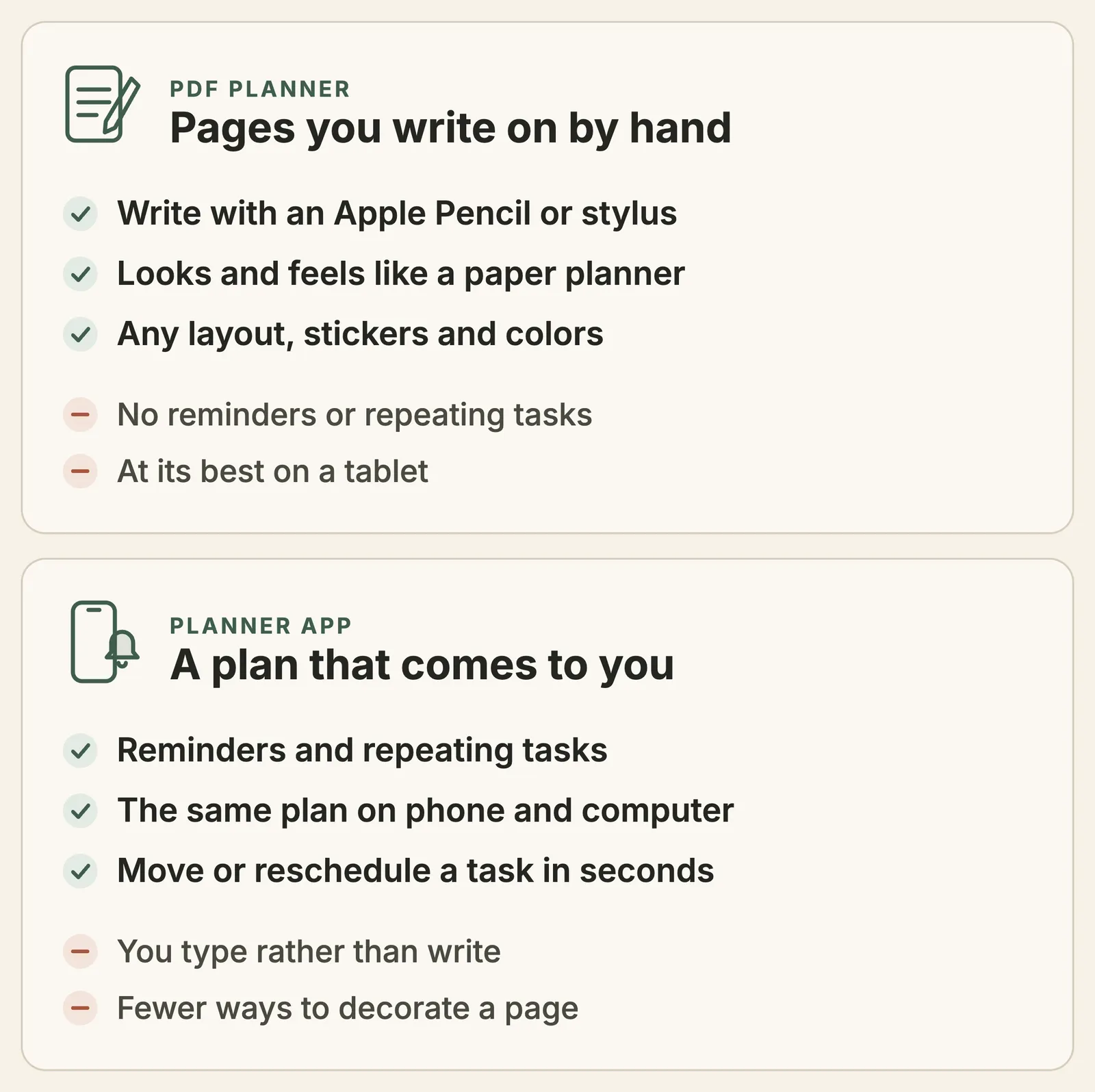
A PDF planner is paper you can’t lose: the same monthly, weekly and daily pages, plus tabs, stickers and as many fresh pages as you like. A planner app is closer to an assistant. Both are digital, but they behave very differently once the week starts moving:
| PDF planner in a notes app | Planner app | |
|---|---|---|
| You add things by | Writing with a stylus, or typing into boxes | Typing, or dictating to your phone |
| Reminders | None: the page waits until you open it | A notification at the time you choose |
| Repeating tasks | Written out again every week | Set once, they come back on their own |
| Unfinished tasks | Copied forward by hand | Moved to another day in a tap or two |
| Your calendar | The pages don’t know about it | Many apps sync with Google or Apple Calendar |
| On a phone | Small pages, hard to write on | Made for it |
| Devices | Wherever the notes app runs; best on a tablet with a pen | Phone and computer, often the web too |
| Cost | A notes app (free, or about $7 to $36) plus the planner file (free to about $40) | A free plan, then about $4 to $10 a month |
Neither is better in general. Writing by hand is the reason most people buy a PDF planner, and nothing typed feels the same. The catch shows up on a busy Monday: nothing pings you before the dentist, and the weekly team call has to be written in again every Sunday. An app does both for you, but you give up the page you designed yourself.
The best apps for a handwritten digital planner
A PDF planner is just pages. The notes app is where you actually live, so pick it first. What matters: it writes smoothly with your pen, it follows the links inside the PDF (the month and week tabs), and it syncs to your other devices.
Goodnotes: the default for PDF planners
Most planner PDFs are made for Goodnotes first, and it runs almost everywhere: iPad, iPhone, Mac, Android, Windows and the web. Tabs in a hyperlinked planner work on all of them; since January 2024 that includes Android, Windows and the web, where you tap links in read-only mode. On an iPad you also get built-in planner templates, stickers and washi tape, and a Marketplace that sells planners inside the app.
Price: the free plan holds up to 3 files, and exports carry a watermark. Essential is $11.99 a year for unlimited files. Pro, at $35.99 a year, is the one you need to keep a single library in sync between an iPad and an Android tablet or a Windows PC. On Apple devices only, Special Edition is a one-time purchase at $35.99 in the App Store. Goodnotes reports more than 25 million monthly users, and its App Store rating is 4.7 from about 470,000 ratings.
Notability: notes and a planner, with audio
Notability is a note-taking app popular with students that records audio while you write, which makes it a good pick if your planner is also where class or meeting notes go. It runs on iPad, iPhone, Mac and the web, and on Android since August 2026. It comes with more than 20,000 templates, including academic planners.
Price: the free Starter plan allows 5 notes. Lite is $14.99 a year and Plus $19.99, and the site was showing 20% off both when we checked. Classic is a one-time purchase again: $39.99 on notability.com, $49.99 in the App Store. Notability’s help pages don’t say whether links in imported planners work, so try a free planner in it before you buy a hyperlinked one.
Noteshelf: planners on Apple devices and Android
Noteshelf is a smaller rival to the two above, with more than 200 templates for planners, journals and to-do lists, plus stickers. It runs on iPhone, iPad and Mac, and on Android tablets, also through Samsung’s Galaxy Store. On Windows, the app is still the older Noteshelf 2.
Price: free for 3 notebooks. Premium is $9.99 once on Android; the App Store sells it in several options, from yearly to lifetime.
Zinnia: a planner journal with the pages built in
Zinnia is for people who want the decorated look without buying a PDF. It comes with ready-made planners, trackers, stickers, washi tape and lettering, and you write with an Apple Pencil or type. It can also sync events to Google Calendar. It runs on iPhone, iPad and Mac.
Price: a free version with limited content, then $34.99 a year or $8.99 a month. Its App Store rating is 4.6 from 57,000 ratings.
Noteful: handwriting for $6.99, once
Noteful is a clean notes app for iPad and iPhone that also runs on Macs with Apple silicon. It is free to use with no time limit, and Pro, a one-time $6.99, adds sync between your iPhone and iPad. If you want a PDF planner on an iPad without another subscription, this is the cheapest way in.
On Android and Windows
- On a Galaxy tablet, Samsung Notes is free and works with the S Pen: import a planner PDF and write on it. Goodnotes and Noteshelf also run on Android tablets.
- Penly is Android only and costs $4.79 once. It follows links inside PDFs and comes with an undated hyperlinked planner of its own.
- On Windows, Goodnotes keeps a planner’s links working. OneNote is free, but it inserts a PDF as pictures of its pages, so expect a hyperlinked planner’s tabs to stop working there. Planners made for OneNote use its own page links instead.
Where to get a PDF planner, free or paid
Before you buy one, check five things:
- Hyperlinked: tabs for months, weeks and days that jump to the page. Without them, a 400-page planner is a lot of scrolling.
- Dated or undated: dated 2027 pages are ready to use; undated ones you can reuse every year, but you write the dates in yourself.
- Your app: most planners are made for Goodnotes. Check that the seller lists the app you use.
- Orientation: portrait is like a paper planner; landscape fits a two-page week on an iPad.
- Refunds and downloads: Etsy doesn’t take returns on digital items, and Passion Planner allows 5 downloads per purchase.
Paid planners. Passion Planner is the brand the round-ups mention most: its undated weekly and daily bundle costs $40 and includes 12 months of hyperlinked layouts, 73 extra templates, 208 stickers and four color themes, made for Goodnotes and listed for Notability, Noteshelf and Xodo too. Its dated 2027 bundle is also $40, and we saw it at $30 on sale. On Etsy, when we looked, a single-year hyperlinked planner mostly sold for $3 to $6 on sale, from list prices of $8 to $20; multi-year all-in-one planners ran about $14 to $27. Goodnotes also sells planners inside the app, in its Marketplace.
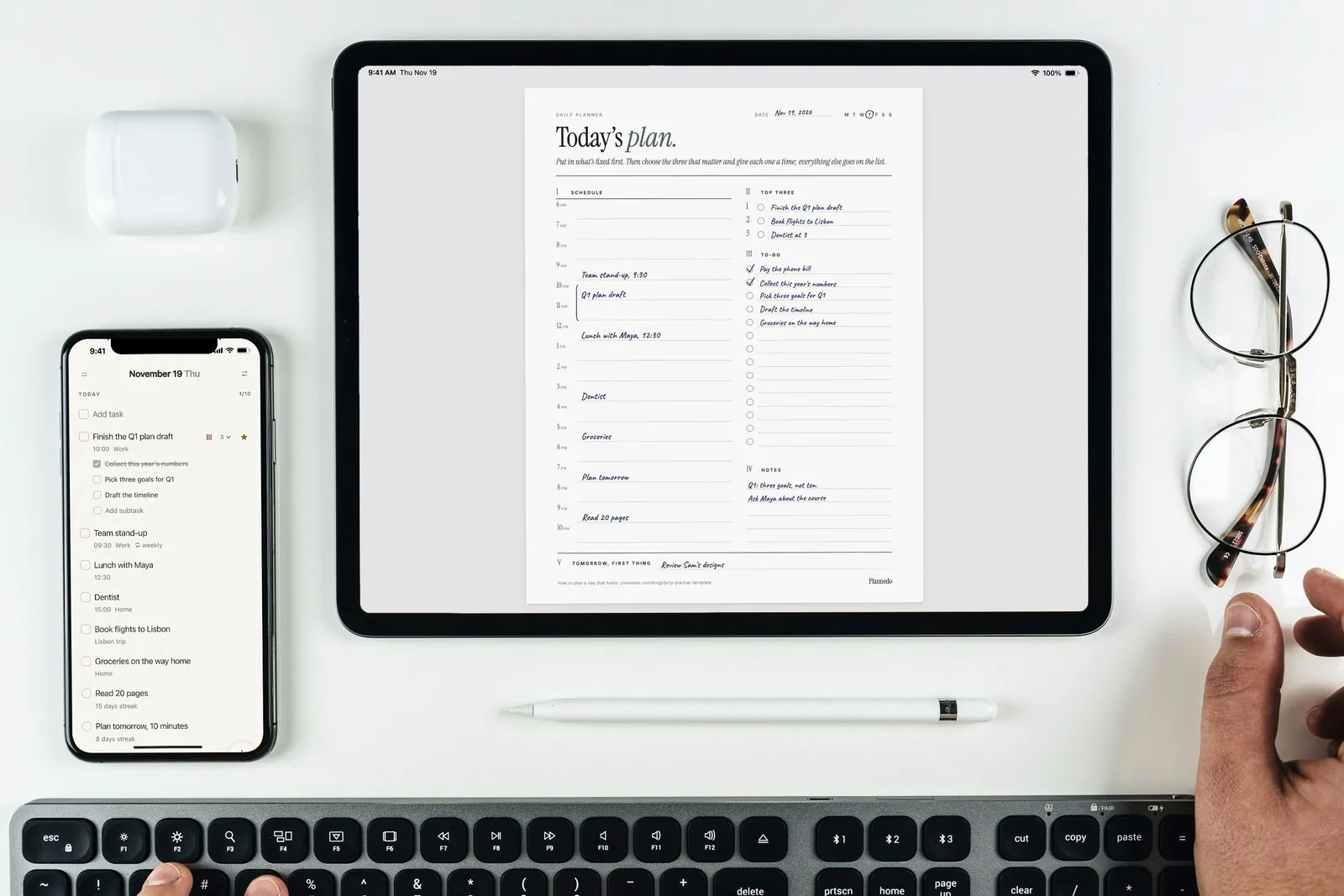
Free planners. Start free before you pay for anything. Our own printables are fillable PDFs in US Letter and A4 that work as single planner pages: a daily planner, a weekly planner, a to-do list, a time-blocking page, a 2027 calendar and a habit tracker. They aren’t hyperlinked planners: import a page into Goodnotes or Notability, duplicate it for each day or week, and write on it. The page on the cover of this post is our daily planner.
The best planner apps
A planner app trades the pen for what paper can’t do: a reminder at 2:30 for the 3:00 dentist, a stand-up that appears every weekday on its own, and the same plan on your phone and laptop. Our comparison of planner apps for Mac and iPhone goes deeper; these are the ones that work best as a planner rather than only a to-do list.
Plannedo: tasks, habits, a journal and goals on one page
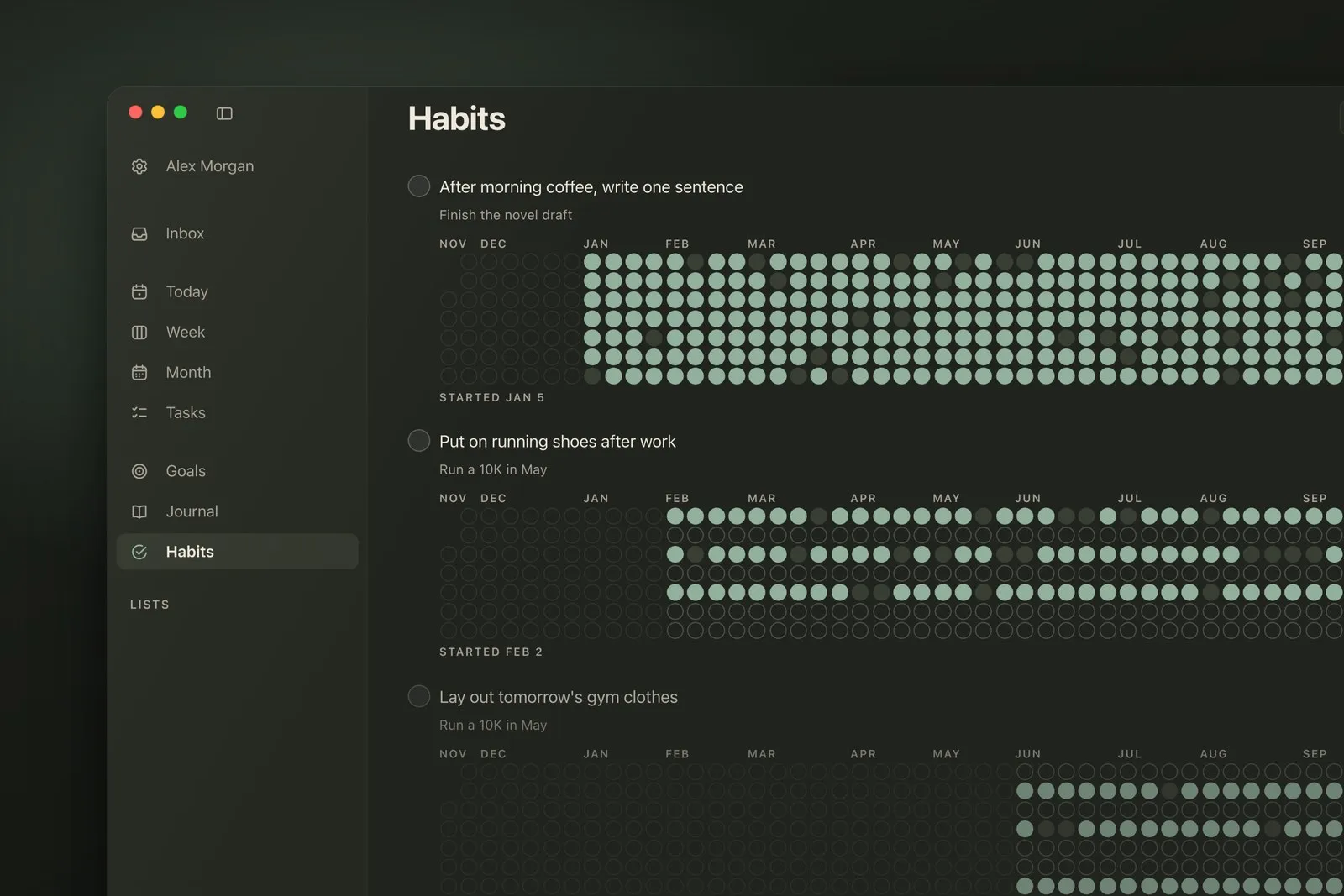
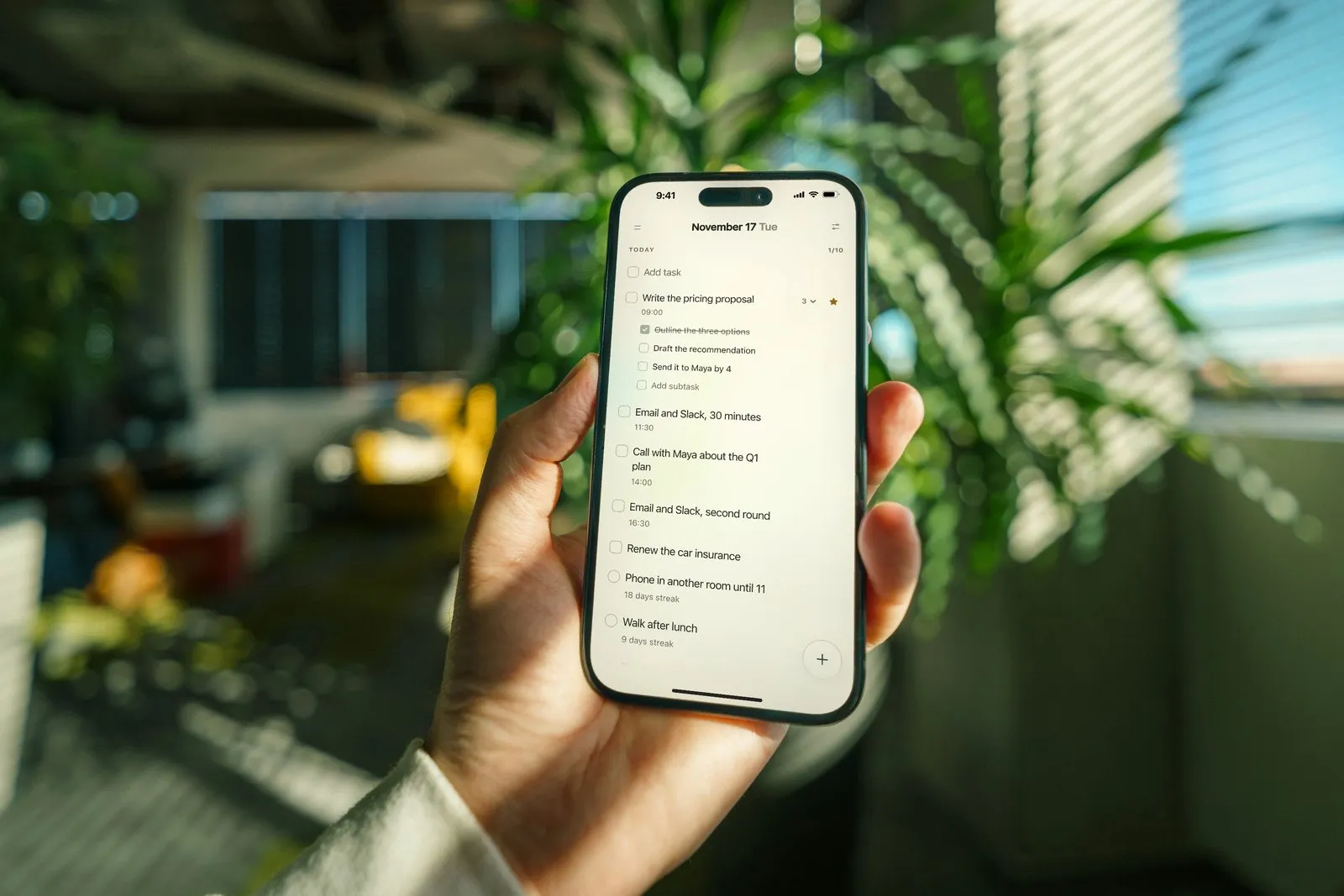
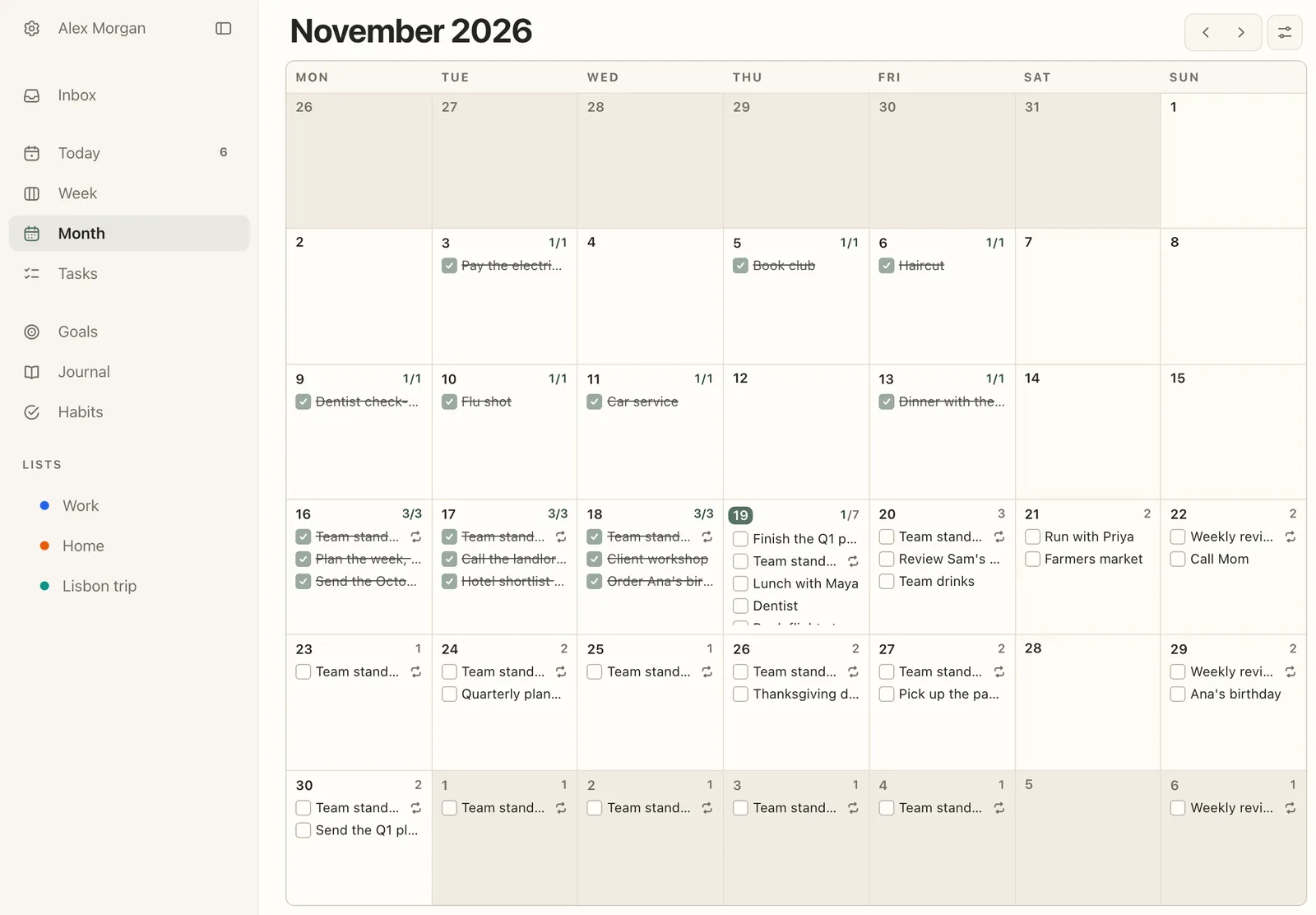
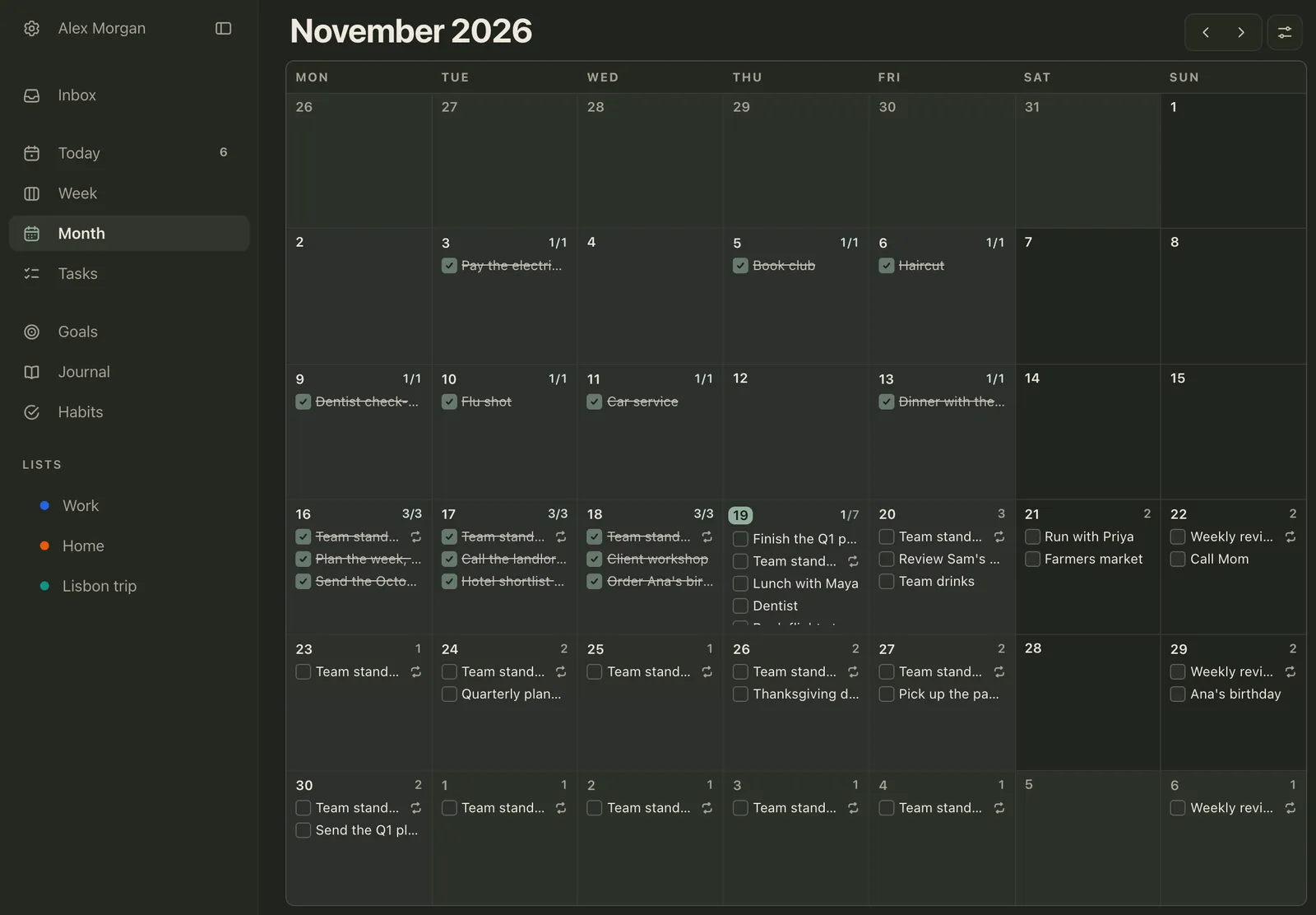
We make Plannedo, so read this one with that in mind. It’s a planner for people who want their day, their habits and their bigger goals in one place. The day is one page, Today: tasks first, with times on the ones that are fixed, then the habits, then a line about how the day went. Week and Month are grids like the spreads of a paper planner, and the Inbox catches loose ideas until you give them a day.
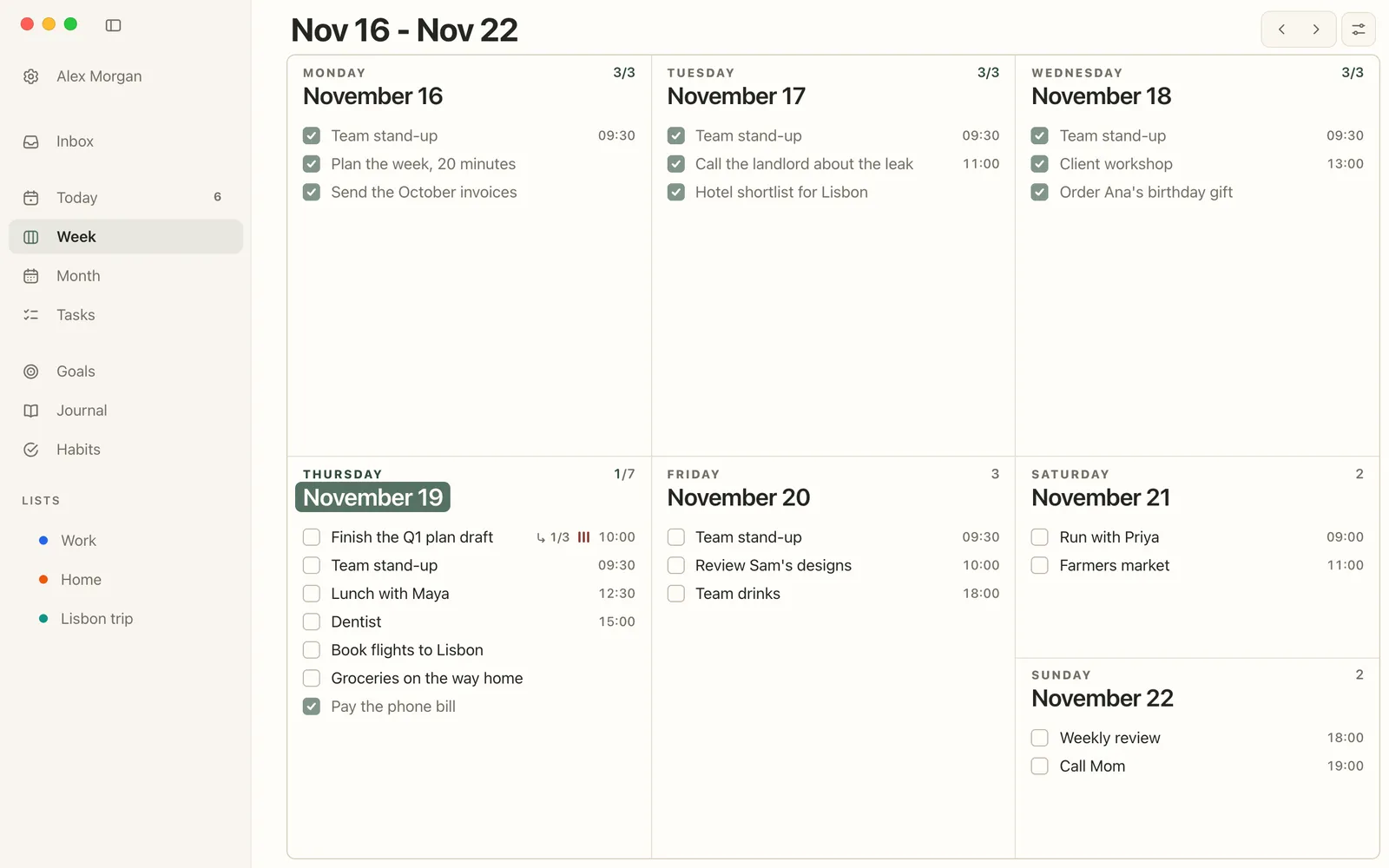
What makes it a planner rather than a list: repeating tasks for anything that comes back, subtasks for the steps of a big task, a star for the one that matters most, and reminders on your iPhone and Mac. Habits sit under the day’s tasks with their streaks, the journal takes a line each evening, and each goal gets a photo board and a nightly question: did today move it?
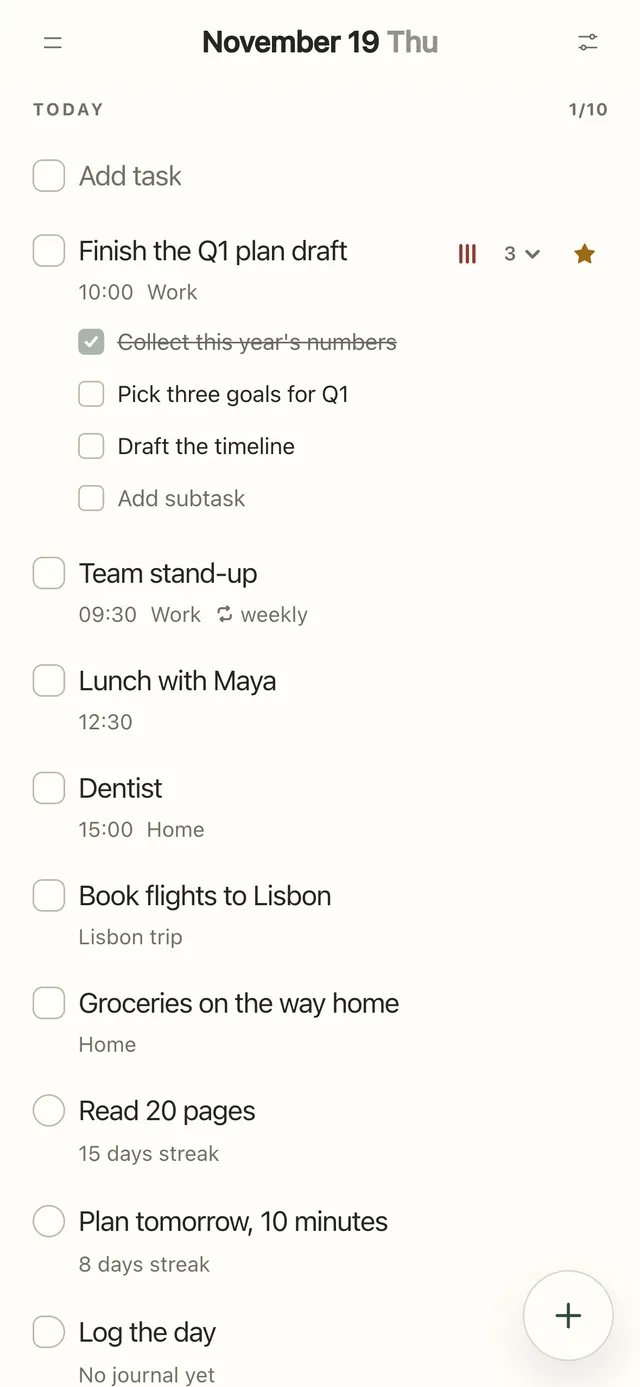
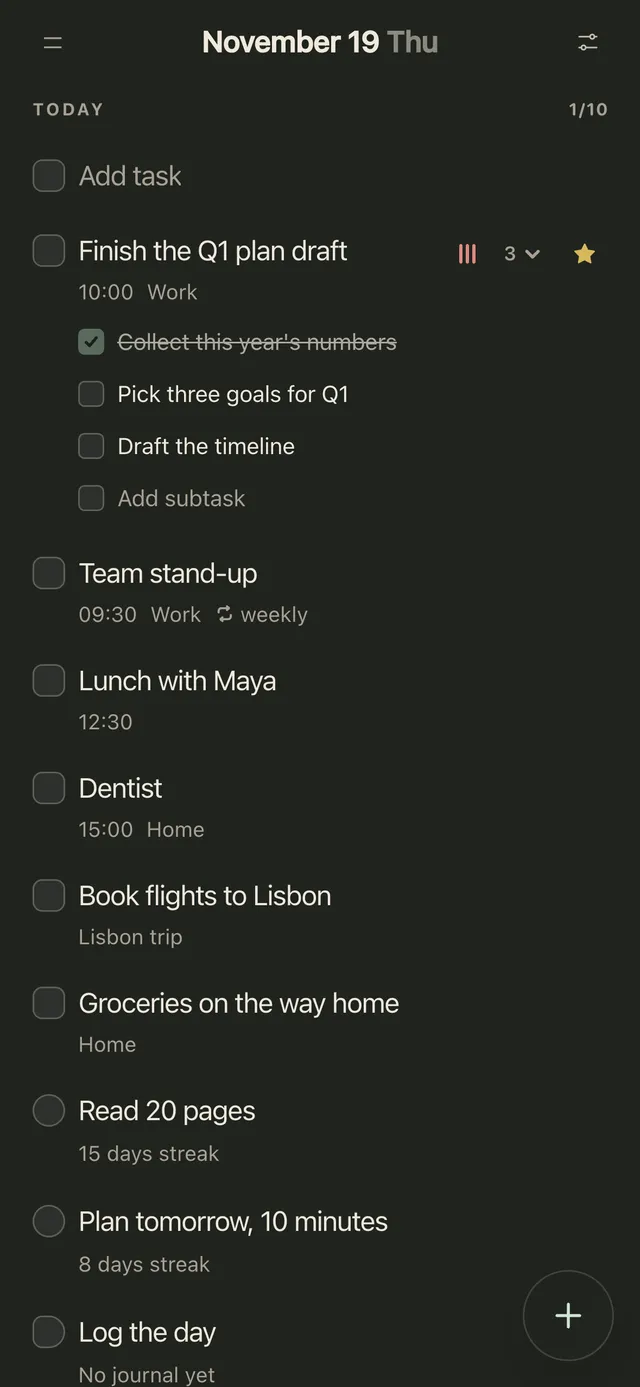
Plannedo has apps for iPhone and Mac with widgets, and the same account opens in any browser, so it also works on a Windows PC, an Android phone or an iPad. Sync with Apple Reminders brings in tasks you dictate to Siri.
Price: the free plan has unlimited tasks, 3 lists, 3 habits, one goal and a journal every day. Pro adds reminders and lifts the limits: $7.99 a month, $79.99 a year or $119.99 once in the App Store ($79 a year on the website), and one purchase covers the iPhone, the Mac and the web. See Free and Pro.
Pick something else if you want to write by hand (Goodnotes), need your tasks inside Google Calendar (TickTick or Todoist), or want native apps on Android and Windows rather than a browser (TickTick).
TickTick: tasks, a calendar and habits on every device
TickTick is the all-rounder: tasks, a calendar view, habits and a focus timer, with apps for iPhone, iPad, Android, Mac, Windows and Linux, plus the web. It syncs with your calendars through subscriptions and integrations.
Price: free for 9 lists, 99 tasks per list, 2 reminders per task and 5 habits; the multi-day calendar views need Premium, which is $49.99 a year.
Todoist: simple lists that sync everywhere
Todoist is built for getting a task out of your head fast: type “dentist every 6 months” and it sets the date and the repeat. It runs on everything from an Apple Watch to Linux, and connects to your calendar on every plan.
Price: free for 5 projects, with reminders; the calendar layout needs Pro, which is $5 a month billed yearly ($60) or $7 month to month.
Structured: your day as a timeline
Structured shows the day as a vertical timeline of blocks, which suits people who plan by the hour or find a list too abstract. It runs on iPhone, iPad, Mac, Android and the web, and its App Store rating is 4.8 from 169,000 ratings.
Price: the timeline and inbox are free. Pro adds notifications, repeating tasks and importing your calendar and Reminders; its price depends on your region, and the US App Store lists a $99.99 lifetime option.
Notion: build your own planner
Notion is a blank workspace you shape into a planner with a template, from a simple weekly page to a full life dashboard. It’s the most flexible app here and the slowest for a quick list on your phone. Reminders work through @remind, and calendars live in a separate Notion Calendar app.
Price: free for personal use; Plus is $10 a month per seat.
Google Calendar and Apple Calendar: the free basics
If your plan is mostly appointments, the calendar already on your phone may be enough. Google Calendar has Google Tasks built in, with repeating tasks. On an iPhone, Apple’s Reminders and Calendar are free, and since iOS 18 scheduled reminders appear in Calendar next to your events.
The best digital planner for iPad
- With an Apple Pencil: Goodnotes and a planner PDF, Zinnia if you want the pages built in, or Noteful if you’d rather pay once. A PDF planner really wants a pen: a finger works, but small boxes get messy.
- Typing: TickTick, Todoist and Structured have iPad apps. Plannedo runs in Safari on an iPad, with the same Today, Week and Month as on a Mac.
- Both: keep the planner app on your phone for the reminders and the PDF planner on the iPad for the weekly page, or put the two side by side in Split View.
What free digital planners actually give you
“Free” means very different things here. What you get without paying, checked on November 19, 2026:
| App | Kind | Free plan | Paid from |
|---|---|---|---|
| Goodnotes | Handwriting | 3 files; exports carry a watermark | $11.99 a year; $35.99 once on Apple devices |
| Notability | Handwriting | 5 notes | $14.99 a year; $39.99 once on its website |
| Noteshelf | Handwriting | 3 notebooks | $9.99 once on Android |
| Noteful | Handwriting | No time limit; sync between devices needs Pro | $6.99 once |
| Samsung Notes | Handwriting | Free on Galaxy devices | Free |
| OneNote | Handwriting and typing | Free | Free |
| Plannedo | Planner app | Unlimited tasks, 3 lists, 3 habits, 1 goal, journal; reminders are Pro | $79 a year on the web; $119.99 once |
| TickTick | Planner app | 9 lists, 2 reminders per task, 5 habits | $49.99 a year |
| Todoist | Planner app | 5 projects, with reminders | $60 a year |
| Structured | Planner app | Timeline and inbox | Varies by region |
| Notion | Planner app | Free for one person | $10 a month |
| Google Calendar and Tasks, Apple Calendar and Reminders | Planner app | Free | Free |
The cheapest complete setup costs nothing: free planner pages in a notes app with a free plan, or a planner app’s free plan. The cheapest handwriting setup you pay for once is Noteful at $6.99 on an iPad, or Penly at $4.79 on Android, plus a free PDF.
Can a digital planner sync with Google or Apple Calendar?
- PDF planners: no. They’re pages. Your calendar never reaches them, and nothing you write on them reaches your calendar. Some 2027 planners include add-to-calendar links, but the page itself never updates.
- Planner apps: most do. TickTick connects through calendar subscriptions and integrations, Todoist on every plan, Structured imports your calendar on Pro, and Google Tasks and Apple Reminders live inside their own calendars. Zinnia, a planner journal, can send events to Google Calendar.
- Plannedo: on iPhone and Mac it syncs both ways with Apple Reminders: title, notes, date, time, priority and done (repeating tasks and subtasks stay in Plannedo). Since iOS 18, Apple’s Calendar shows scheduled reminders next to your events, so dated Plannedo tasks show up there too. It doesn’t connect to Google Calendar.
Paper, stylus or app: what research says
The research is thinner than planner sellers suggest, but it points somewhere useful.
Handwriting has a small edge, not a big one. The 2014 study behind “the pen is mightier than the keyboard” found that students who took lecture notes by hand understood more than those on laptops. Two direct replications didn’t find the effect, including a preregistered study of 142 students led by Heather Urry in 2021. The most recent meta-analysis, of 24 studies and 3,005 college students, did find handwritten notes slightly ahead (g = 0.25), mostly when students went back and reviewed them (0.42 with review, 0.21 without). Typed notes held far more words. Two other meta-analyses found no difference at all. If handwriting helps, it helps a little, and mainly when you reread what you wrote, which is what a planner is for.
A stylus seems to count as handwriting. In the closest thing to a planner experiment, a 2021 study at the University of Tokyo had 48 young adults enter 14 appointments into a month calendar on paper, on an iPad with a stylus or on a phone. Paper was fastest: about 11 minutes, against 14 on the tablet and 16 on the phone. An hour later, all three groups remembered the schedule about equally well; paper beat the tablet only on the easiest questions. The groups weren’t randomized (people used their usual tool), and the study was funded by NTT Data. Two small studies that compared a stylus with a pen directly, one of them with Apple Pencils, found no difference in what people remembered.
Writing the plan down quiets your head, in any medium. When E. J. Masicampo and Roy Baumeister reminded students of unfinished tasks, those who then made a specific plan for them stopped dwelling on the tasks: 33% let their mind wander during a reading task afterwards, against 65% of those without a plan. In a sleep lab, Michael Scullin’s team found that people who spent five minutes before bed writing a to-do list for the next few days fell asleep in about 16 minutes, against 25 for people who listed what they’d already done. Both are small single studies, but they agree, and neither depends on paper.
Reminders are the app’s clear win. Paper can’t tap you on the shoulder. In lab tasks reviewed by Sam Gilbert’s group at University College London, people forgot about 45% of the things they meant to do later when they relied on memory, and about 5% with a reminder. Outside the lab the effect is smaller but real: in a study of 47,306 patients, text reminders raised flu vaccination by 2.1 percentage points, and across 16 trials, text messages roughly doubled the odds that people took their medication (about 1.7 times after correcting for publication bias).
Keep the notifications few. In a field experiment with 237 people, getting phone notifications in three batches a day, rather than as they came, left people more attentive, in a better mood and less stressed. Turning them all off didn’t help: that group felt more anxious. For a planner app, that means reminders for the things that need one, and nothing else.
How to set up a digital planner
A PDF planner in five steps
- Pick the app for your device: Goodnotes on an iPad, or Samsung Notes on a Galaxy tablet. If you won’t pay a subscription, Noteful.
- Start with a free planner, like our weekly planner or daily planner. Buy a hyperlinked one once you know which layout you actually use.
- Import it: open the PDF from Files or your downloads and share it to the notes app, or use the app’s import button. Keep the original file somewhere safe: some sellers, Passion Planner among them, limit how many times you can download it.
- Learn the tabs. In Goodnotes on a Mac, Android, Windows or the web, links work in read-only mode.
- Pick a weekly slot, like Sunday evening, to copy unfinished tasks forward and write in the things that repeat. Paper planners need that routine too; a digital one just makes the pages free.
A planner app in five steps
Here’s the same in Plannedo; other apps work much the same way.
- Put in what’s fixed first, with a time: meetings, appointments, the run on Saturday morning. They become the day’s schedule.
- Set the repeating things once: the weekday stand-up, Sunday’s weekly review, the monthly bills.
- Catch everything else in the Inbox as it comes up, and give each thing a day later.
- Each morning, open Today and star the one task that has to happen.
- Each week, look at the Week view and move what didn’t happen. Our guide to planning your week has the full routine.
How to choose
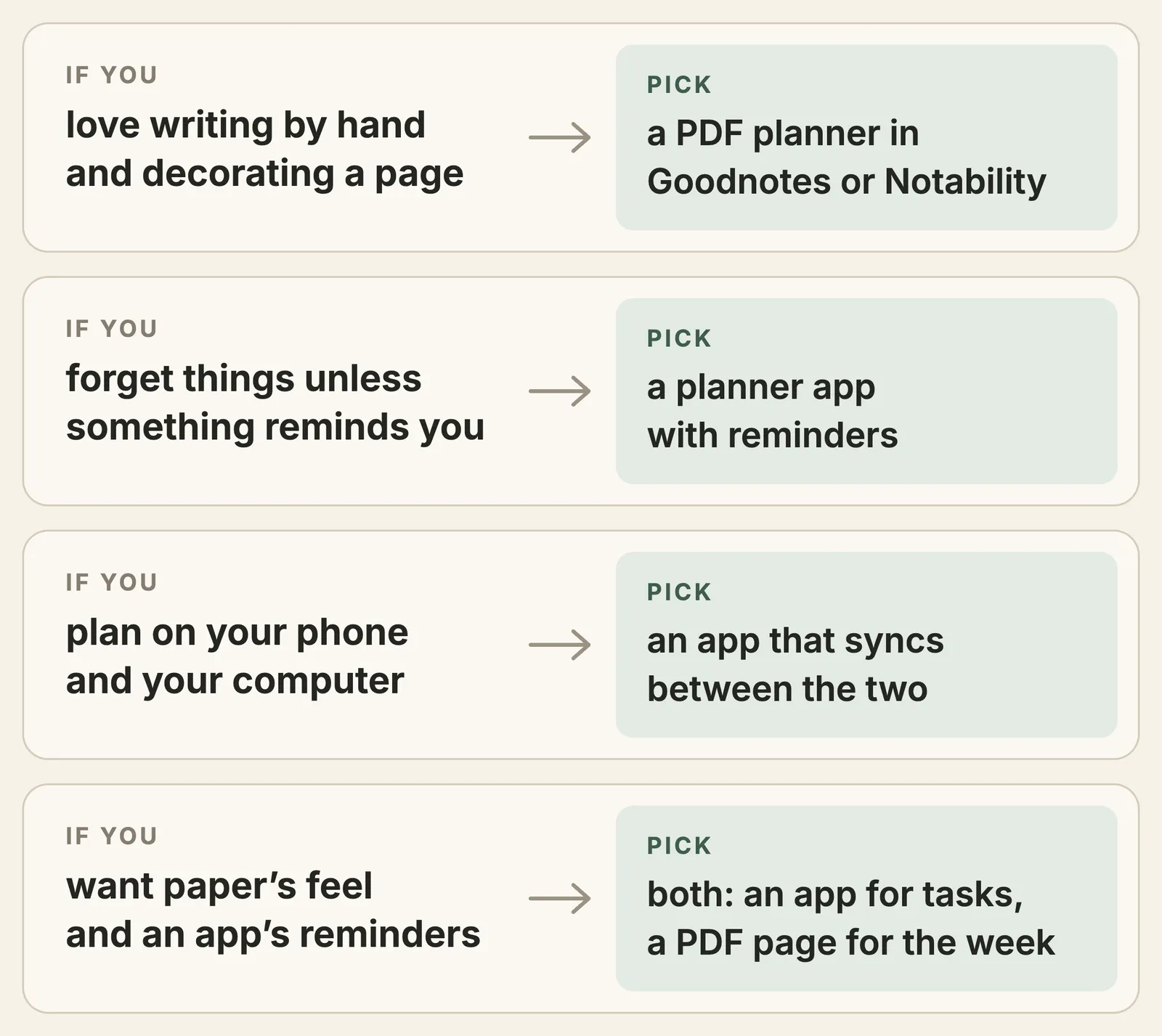
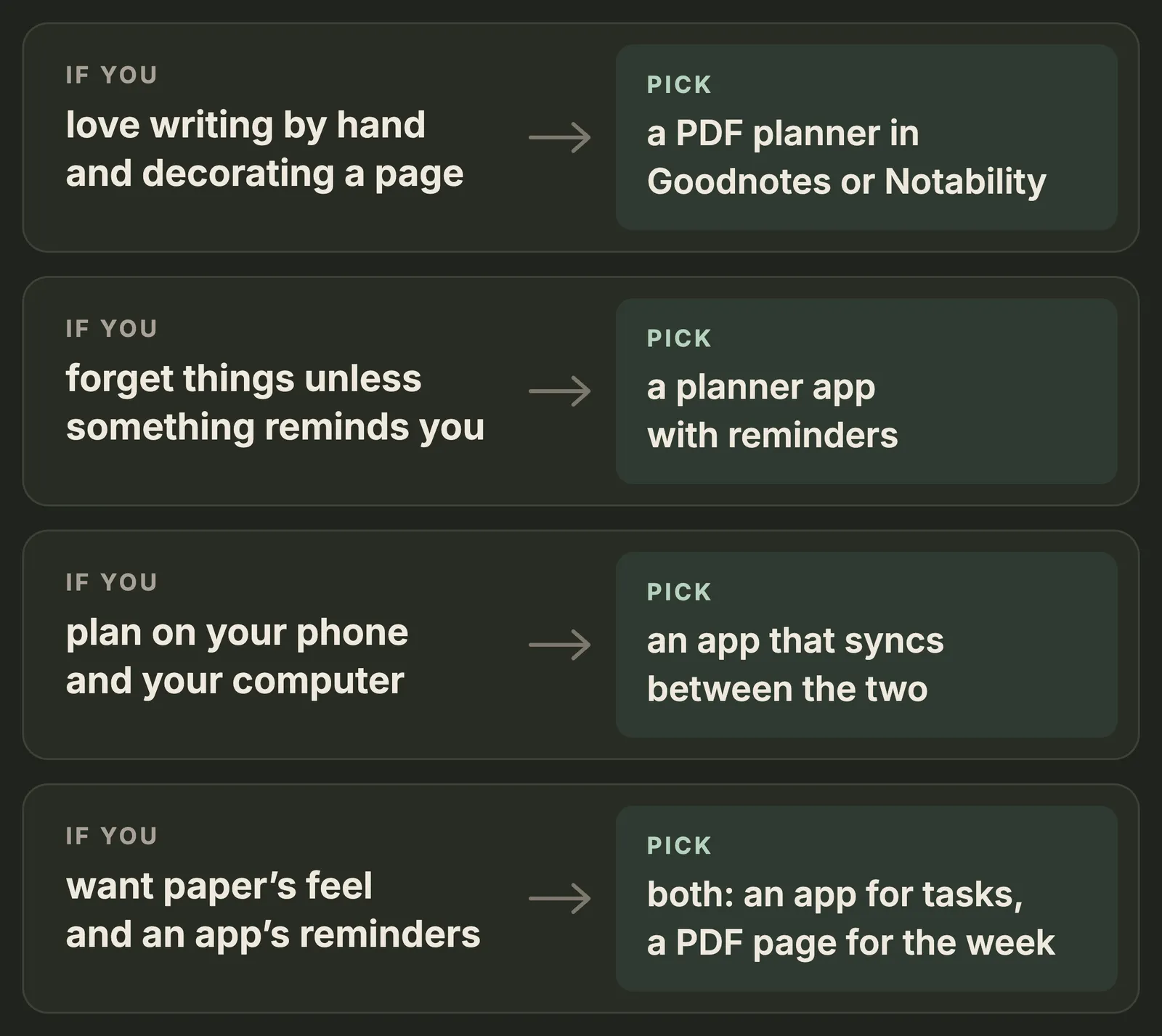
Four questions settle it:
- Do you want to write by hand? If that’s the point, it’s a PDF planner, and you need a tablet and a pen.
- Do you need reminders? If things slip unless something pings you, it’s an app.
- Where do you plan? A PDF planner lives on one tablet. An app follows you to your phone and computer.
- Once or every year? Noteful, Penly, Notability Classic and Goodnotes’ Special Edition are one-time purchases, and so is Plannedo’s Lifetime. Most of the rest are subscriptions.
If you can’t decide, use both for a month: an app for anything with a time or a repeat, and one handwritten weekly page for the week’s priorities. Then keep the one you actually opened.
FAQ
What is a digital planner?
A digital planner is a planner on a screen. It’s either a PDF planner, planner pages with tabs that you open in a notes app like Goodnotes and write on with a stylus, or a planner app, where you type tasks and the app reminds you, repeats them and syncs your phone and computer.
Is a digital planner worth it?
It is if you’d open it more often than a paper one. A PDF planner gives you endless clean pages, stickers and a planner that lives on your iPad; a planner app gives you reminders and repeating tasks, which paper can’t do. If you already carry a paper planner everywhere and use it, there’s no need to switch.
What is the best digital planner for iPad?
For writing with an Apple Pencil, Goodnotes with a planner PDF is the standard: it follows a planner’s tabs and syncs between iPad, iPhone and Mac. Zinnia is better if you want planner pages and stickers built in, and Noteful if you’d rather pay $6.99 once. For typing, TickTick, Todoist and Structured have iPad apps, and Plannedo runs in Safari.
Do I need an Apple Pencil for a digital planner?
For a PDF planner, yes, or another stylus: a finger works, but writing in small boxes gets messy. A planner app doesn’t need a pen at all, since you type or dictate.
Is there a free digital planner?
Yes. Goodnotes, Noteshelf and Noteful have free plans, Samsung Notes and OneNote are free, and there are free planner PDFs, including our daily and weekly pages. Among planner apps, Plannedo, TickTick and Todoist have free plans, and Google and Apple’s calendars are free.
Is there a digital planner that syncs with Google Calendar?
PDF planners can’t sync with any calendar, because they’re pages. For Google Calendar, use a planner app: TickTick and Todoist connect to it, Structured imports it on Pro, and Google Tasks lives inside it. Zinnia, a planner journal, can also send events to Google Calendar.
Can I use a digital planner on Android or Windows?
Yes. On Android tablets, use Samsung Notes, Goodnotes, Noteshelf or Penly for a PDF planner. On Windows, Goodnotes keeps a planner’s links working. Planner apps like TickTick and Todoist have Android and Windows apps, and Plannedo works in any browser.
Is a digital planner better than a paper planner?
Neither wins in research. In a 2021 study at the University of Tokyo, people wrote a month of appointments fastest on paper, slower on an iPad with a stylus and slowest on a phone, but an hour later they remembered them about equally well. Handwriting has at most a small edge for memory, and a stylus seems to count. What an app adds is reminders: in lab studies, people forget far fewer of the things they mean to do when something reminds them. Pick the one you’ll open every day.
Sources
Research:
- Fitz, N., Kushlev, K., Jagannathan, R., Lewis, T., Paliwal, D., & Ariely, D. (2019). Batching smartphone notifications can improve well-being. Computers in Human Behavior, 101, 84-94.
- Flanigan, A. E., Wheeler, J., Colliot, T., Lu, J., & Kiewra, K. A. (2024). Typed versus handwritten lecture notes and college student achievement: A meta-analysis. Educational Psychology Review, 36(3), Article 78.
- Gilbert, S. J., Boldt, A., Sachdeva, C., Scarampi, C., & Tsai, P.-C. (2023). Outsourcing memory to external tools: A review of “intention offloading”. Psychonomic Bulletin & Review, 30(1), 60-76.
- Masicampo, E. J., & Baumeister, R. F. (2011). Consider it done! Plan making can eliminate the cognitive effects of unfulfilled goals. Journal of Personality and Social Psychology, 101(4), 667-683.
- Milkman, K. L., Patel, M. S., Gandhi, L., Graci, H. N., Gromet, D. M., Ho, H., … Duckworth, A. L. (2021). A megastudy of text-based nudges encouraging patients to get vaccinated at an upcoming doctor’s appointment. PNAS, 118(20), e2101165118.
- Morehead, K., Dunlosky, J., & Rawson, K. A. (2019). How much mightier is the pen than the keyboard for note-taking? A replication and extension of Mueller and Oppenheimer (2014). Educational Psychology Review, 31(3), 753-780.
- Mueller, P. A., & Oppenheimer, D. M. (2014). The pen is mightier than the keyboard: Advantages of longhand over laptop note taking. Psychological Science, 25(6), 1159-1168.
- Osugi, K., Ihara, A. S., Nakajima, K., Kake, A., Ishimaru, K., Yokota, Y., & Naruse, Y. (2019). Differences in brain activity after learning with the use of a digital pen vs. an ink pen: An electroencephalography study. Frontiers in Human Neuroscience, 13, Article 275.
- Scullin, M. K., Krueger, M. L., Ballard, H. K., Pruett, N., & Bliwise, D. L. (2018). The effects of bedtime writing on difficulty falling asleep: A polysomnographic study comparing to-do lists and completed activity lists. Journal of Experimental Psychology: General, 147(1), 139-146.
- Shell, M. D., Strouth, M., & Reynolds, A. M. (2021). Make a note of it: Comparison in longhand, keyboard, and stylus note-taking techniques. The Learning Assistance Review, 26(2), 1-21.
- Thakkar, J., Kurup, R., Laba, T.-L., Santo, K., Thiagalingam, A., Rodgers, A., Woodward, M., Redfern, J., & Chow, C. K. (2016). Mobile telephone text messaging for medication adherence in chronic disease: A meta-analysis. JAMA Internal Medicine, 176(3), 340-349.
- Umejima, K., Ibaraki, T., Yamazaki, T., & Sakai, K. L. (2021). Paper notebooks vs. mobile devices: Brain activation differences during memory retrieval. Frontiers in Behavioral Neuroscience, 15, Article 634158.
- Urry, H. L., Crittle, C. S., Floerke, V. A., Leonard, M. Z., Perry, C. S., III, Akdilek, N., … Zarrow, J. E. (2021). Don’t ditch the laptop just yet: A direct replication of Mueller and Oppenheimer’s (2014) Study 1 plus mini meta-analyses across similar studies. Psychological Science, 32(3), 326-339.
- Voyer, D., Ronis, S. T., & Byers, N. (2022). The effect of notetaking method on academic performance: A systematic review and meta-analysis. Contemporary Educational Psychology, 68, Article 102025.
Prices, plans and features, checked on November 19, 2026:
- Goodnotes: pricing, App Store, Android, links on Android, Windows and the web, monthly users
- Notability: pricing, Classic, Android
- Noteshelf: website, App Store, Android
- Zinnia in the App Store, Noteful in the App Store, Penly
- Samsung: Samsung Notes
- TickTick: Premium; Todoist: pricing; Structured: website, App Store; Notion: pricing
- Google: repeating tasks in Google Tasks. Apple: Reminders, including reminders in Calendar
- Passion Planner: undated digital planner bundle. Etsy: downloading digital items
Photo credits
The cover photo is by Henry Ascroft on Unsplash.